

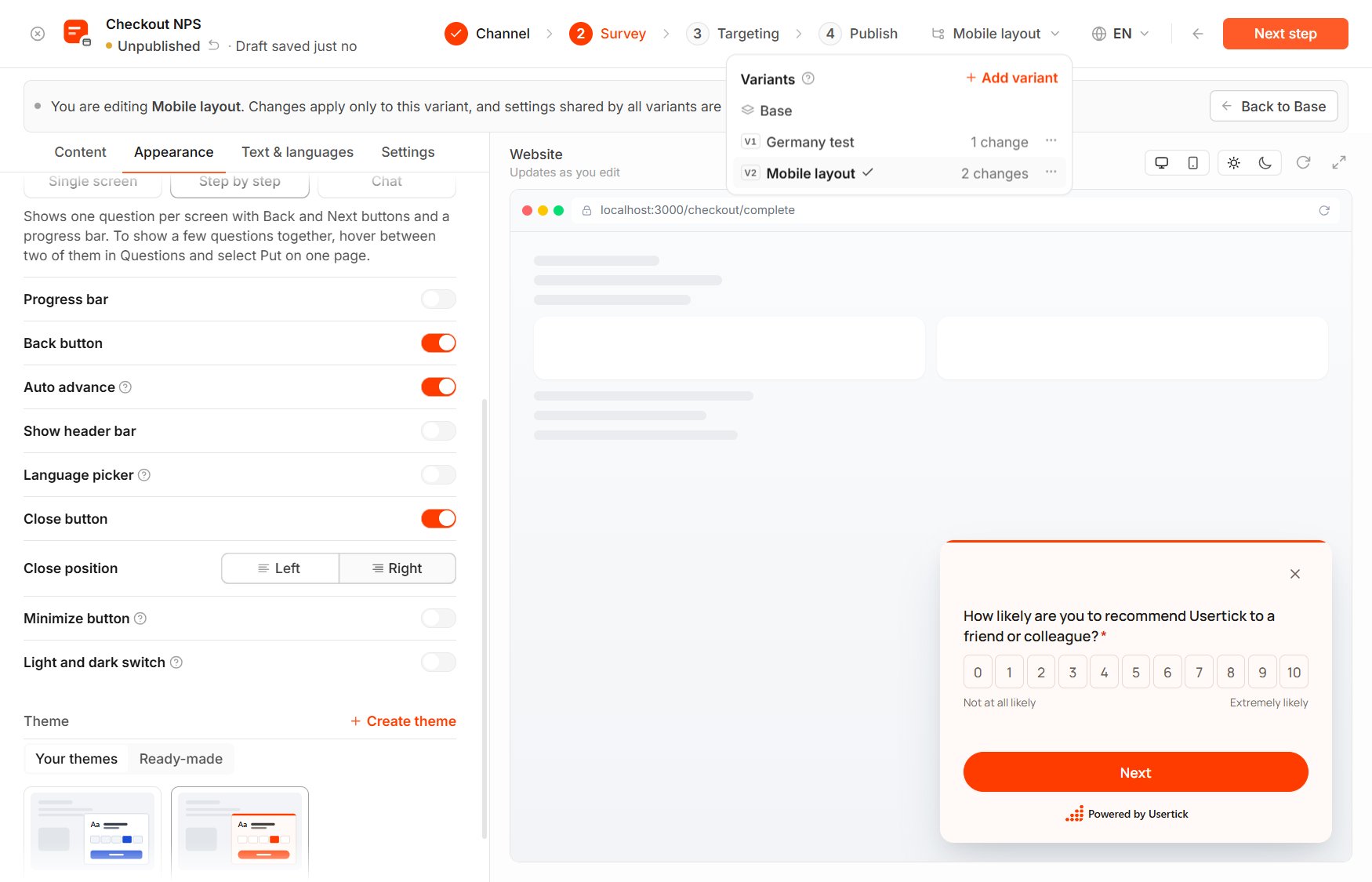
The Variants menu
Add a variant
- In the editor’s header, open the Variants menu and select Add variant.
- In New variant, enter a Name.
- Select Add condition and choose who sees this version. On a website survey, Add trait rule under User traits adds a rule over the visitor’s traits. When you add more than one condition, Match sets whether All conditions or Any condition must apply, and the line at the top of the dialog sums up who sees the variant.
- Select Create variant, and the editor switches to the new variant.
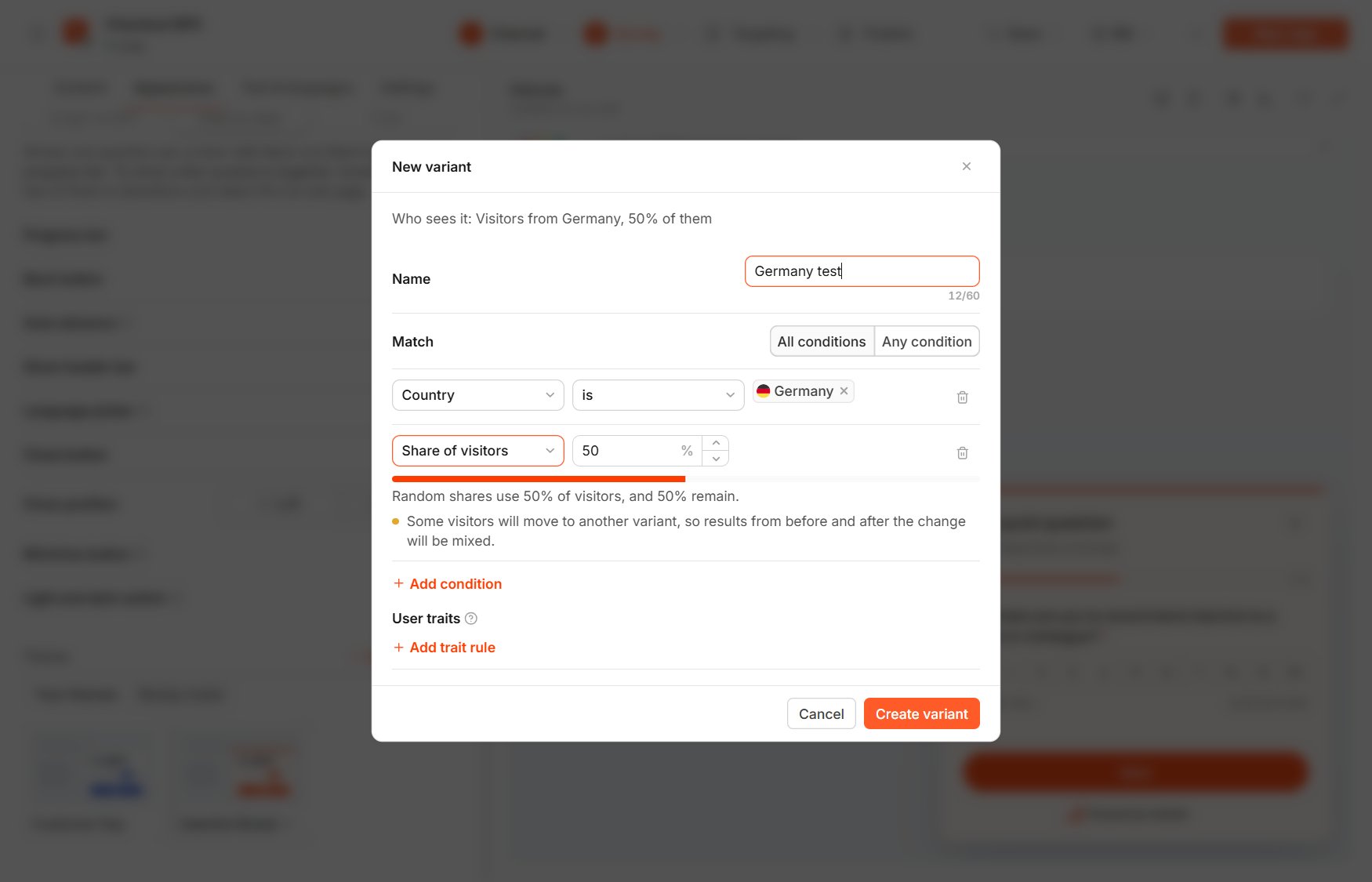
New variant
- Country covers respondents from the selected countries, or from everywhere else.
- Device limits the variant to desktop, tablet or mobile.
- Share of visitors picks a random percentage of respondents. Each respondent keeps the same result, and the shares of all variants add up to 100% at most.
- Page works on website surveys and matches respondents on matching pages.
- User traits matches website visitors whose traits, passed with
Usertick.identify, match the rule, and you add it with Add trait rule.
Edit a variant
While a variant is selected, a banner shows which one you are editing, and the changes you make to questions, design, texts and settings in the Survey step apply only to that variant. Every version shares the Channel, Targeting, Email, Publish and Share steps, so they are locked in a variant.- A setting changed in the variant is marked Different in this variant, and Reset returns it to the Base value.
- Hide in this variant and Show in this variant remove a Base question from the variant or bring it back. A question you add while editing a variant exists only in that variant.
- Changing a question’s type in a variant creates a separate question for the variant, so answers to the two types stay apart.
- Back to Base takes you back to the Base survey.
Manage variants
Each variant’s menu in the Variants menu offers Edit rules, Edit content, Move up, Move down, Duplicate, Apply to Base and Delete.- Apply to Base adds the variant’s changes and questions to Base and removes the variant.
- Delete removes the variant’s conditions, changes and own questions, and the responses it already collected are kept.
- Changing the shares of a live survey moves some respondents to another version, so results from before and after the change mix.