

Before you start
- Any plan works.
- Reading the inbox requires View surveys and results, and assigning, writing notes and changing statuses requires Manage responses.
- You can assign only teammates whose role opens the survey.
Find what needs a follow-up
- Open Inbox and select the Open folder, since every response starts as Open.
- Narrow the list with a type folder, such as Complaints, which combines with Open, or with Filters, such as Score group or Urgency.
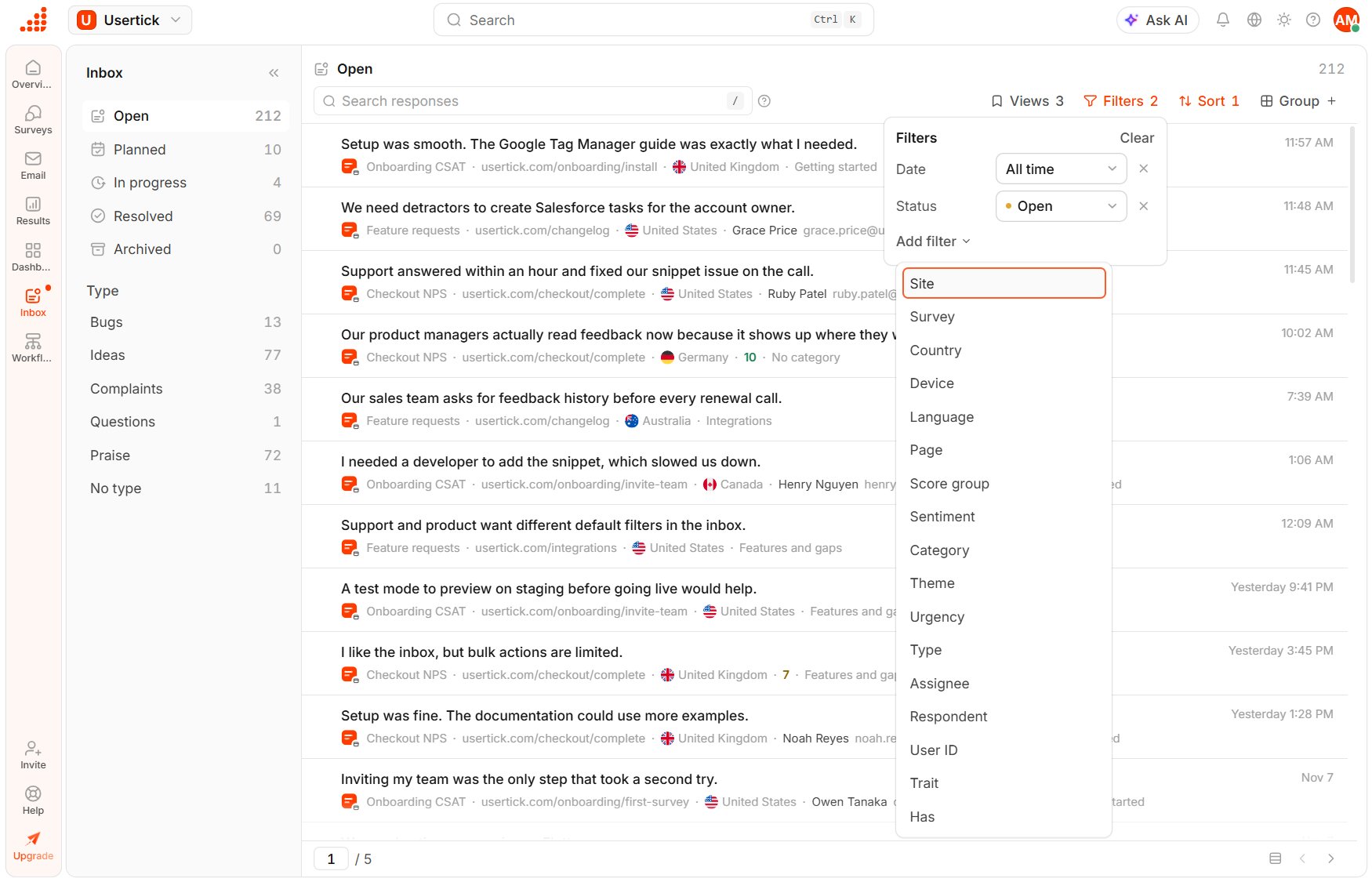
Inbox with the Filters menu open
Give it an owner
- Select a response to open it in the reading pane.
- Select Assign and choose one or more teammates.
Leave a note for the team
In Leave a note for the team, write what happens next and type@ to mention a teammate. The person you mention receives a notification in the bell and, with the default settings, by email. Notes stay under the response, so anyone who opens it later sees the history.
Move it through the statuses
- Once a fix or reply is planned, set Planned, and while someone works on it, set In progress. You can change the status with Status in the Details panel or by typing
/planor/progressin the note box. - When the follow-up is done, select Resolve above the response, or select Submit and resolve to post a note and resolve in one step.
- If a response needs nothing, select Archive.