

Find an event
- To narrow the log with Filters, select Add filter and then Date, Area, Action or Person.
- Search by name finds the events of a survey, site, member, webhook or API key by the name the item had when it changed.
- You can also type
area:(such asarea:survey),action:(create,updateordelete) ordate:(7d,30dor90d) in the search, and pressing Enter sets the matching filter. The ? beside the search lists these terms.
See what changed
Select an event to open its details beside the log. The panel’s heading names the event and when it happened. Below the heading you see the Area, the Action, When, the Item ID, the Person ID when a member made the change, and the Before and After values, with After already open. Under them, What changed lists only the fields that differ, each with its value before and after. To move to the previous or next event, use the arrows at the top of the panel or the arrow keys.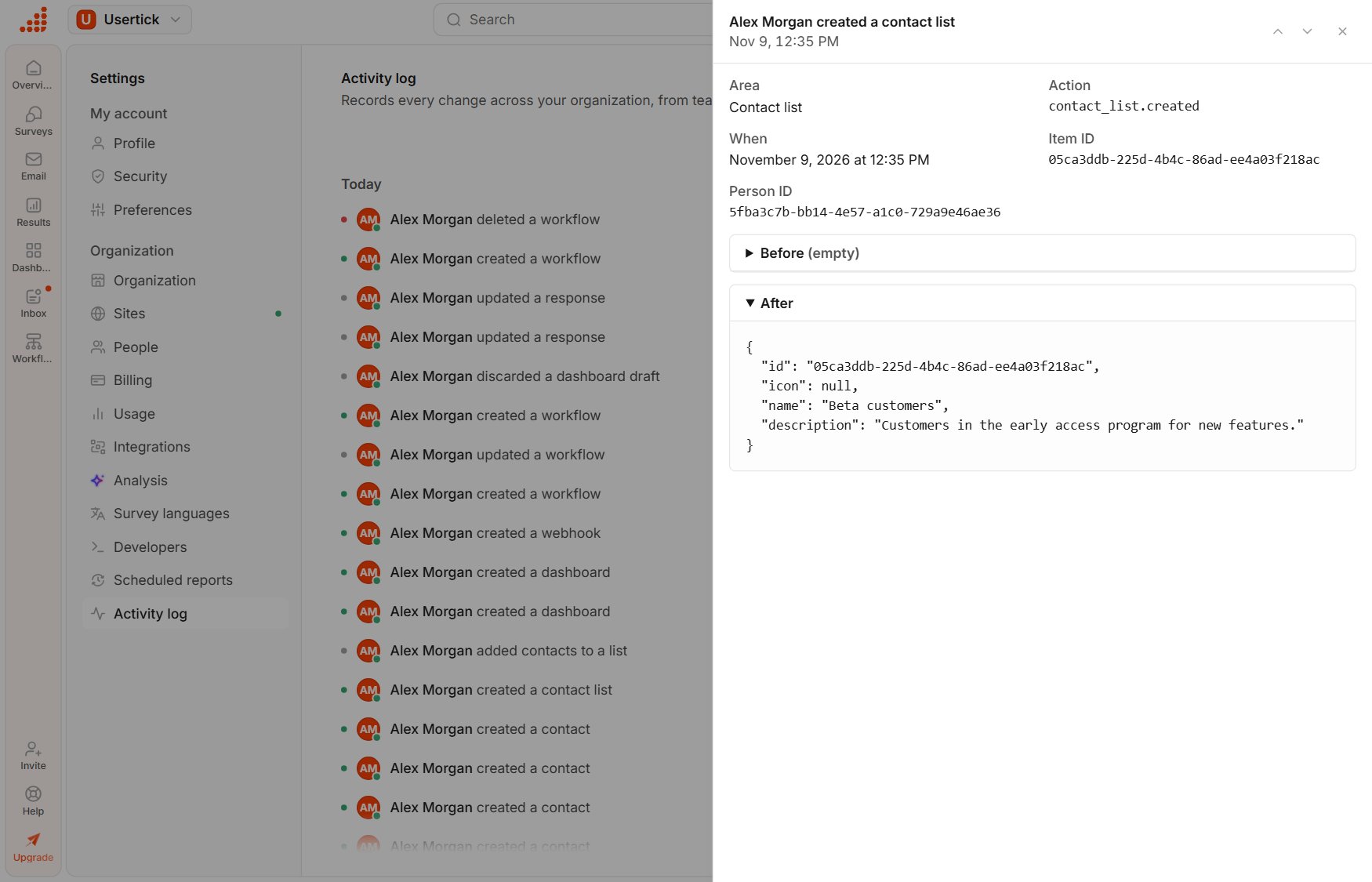
An event's details
History by plan
The page tells you how much history your plan keeps. Usertick keeps older events, and an upgrade makes them visible again. You can’t export the activity log.