

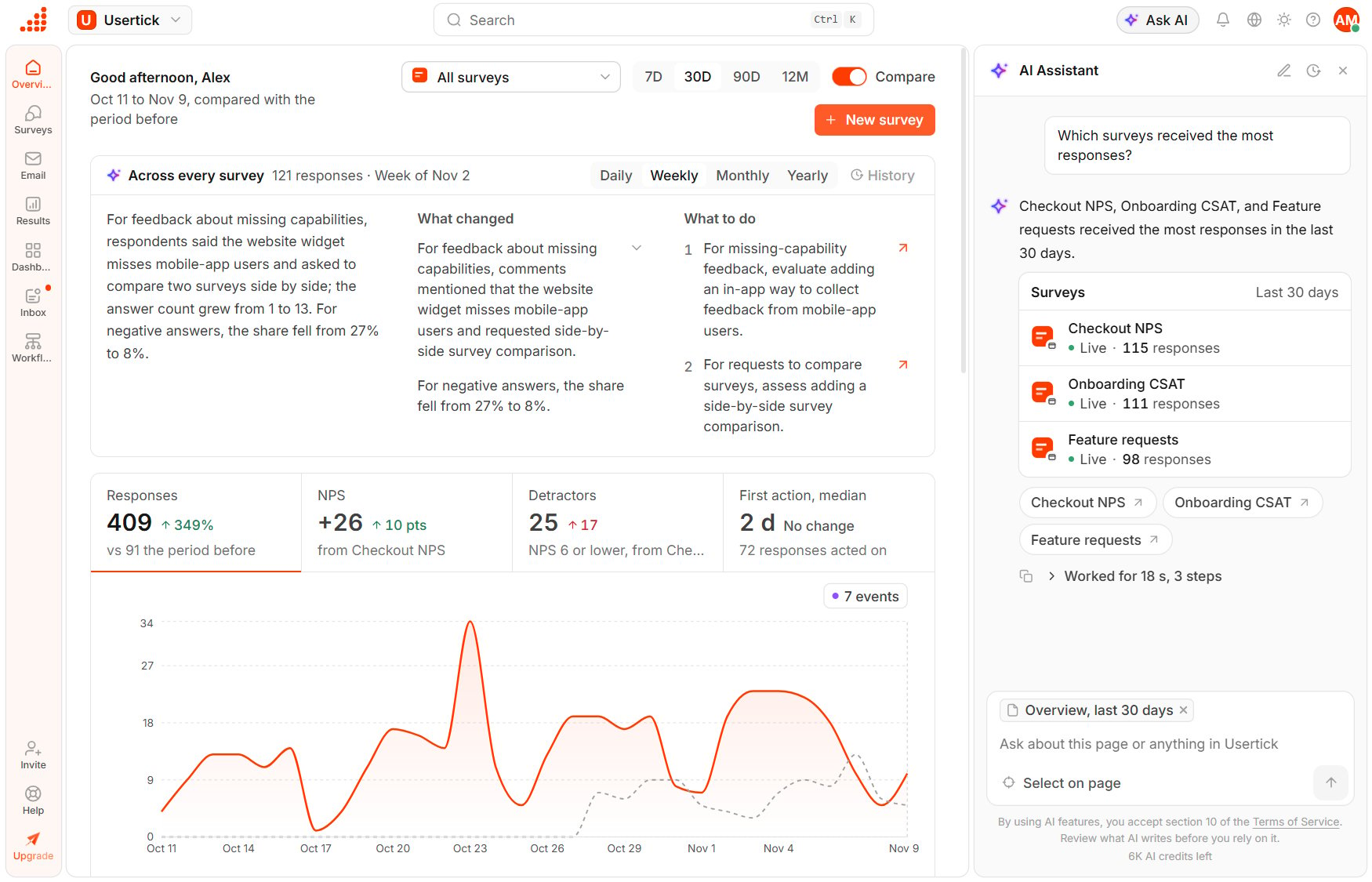
The AI Assistant beside the Overview
Open the assistant
- Select Ask AI in the top bar.
- Press Ctrl J (Cmd J on a Mac). The same keys close it.
- On the Help page, select Ask the assistant.
Ask a question
- Select one of the Suggested questions, or type your own question in the box. The suggestions change with the page you are on.
- Press Enter to send the message, or Shift Enter to start a new line. A message can be up to 2,000 characters.
Open a support ticket from an answer
When the documentation doesn’t answer a question about how Usertick works, or you report something that is broken, such as an error, a page that doesn’t load or data that looks wrong, the answer can end with Create support ticket. The same happens when you ask for a person or for support. Selecting Create support ticket opens the ticket window over the page you are on, with the category, the subject and a message that Usertick AI drafted from your conversation. The message says what you asked, what you were trying to do, any error you mentioned and the page you are on. A note under the message says that Usertick AI drafted it, until you change it. You can edit every field, and nothing is sent until you select Send. After you send it, the answer shows the ticket’s number and Open ticket, which opens it under Help and support. Support tickets are included in the paid plans.What the assistant can see
The assistant reads only what your role can see in the organization, and it doesn’t change anything. To act on an answer, follow its link to the page and make the change there. It never opens a support ticket by itself: you send the ticket it drafts.Earlier conversations
- The conversation you have open stays open when you go to another page, open Usertick in another tab or reload the page.
- New chat starts a conversation from the beginning.
- Conversation history lists your conversations in this organization, where you can search them by name, narrow them to when the last message came with Filters, open one to continue it or delete one from its menu. Typing
date:7d,date:30dordate:90din the search and pressing Enter sets the same filter. Usertick AI names each new conversation after its first answer, such as “NPS drop in checkout”.
Plans and AI credits
When the organization has no AI credits left, the assistant pauses until the next month or until someone buys a credit pack. See AI credits.
If Usertick AI isn’t available for the organization’s billing country, or support turned it off for the organization or your account, the message box says so.